GPT Image 2 Review (2026): Honest Take After Real Testing

📅 Published: April 2026🔄 Last Updated: May 2026⏱️ Reading Time: ~9 min

Most GPT Image 2 reviews online repeat the same surface-level claims. This review focuses on real creative workflows: marketing visuals, e-commerce concepts, UI assets, multilingual layouts, and the prompts used to generate them.

If you want to know whether this tool belongs in your workflow, here's the honest breakdown.

Quick Verdict

GPT Image 2 is the most capable AI image generator available in 2026 — and the first one professionals can genuinely rely on for production work. Whether you need marketing assets with embedded copy, multilingual campaign visuals, UI mockups, or product photography, it delivers output quality that previously required a full design workflow. If images where words matter are part of your work, this is the tool built for it.

4.8
Overall Score
★ ★ ★ ★ ½

Score Summary

Text Accuracy5.0 / 5
Instruction Following4.8 / 5
Realism & Quality4.8 / 5
Multilingual Support4.8 / 5
Evaluation CategoryRating Score
Text rendering accuracy★★★★★(5/5)
Instruction following★★★★½(4.8/5)
Image quality & realism★★★★½(4.8/5)
Multilingual support★★★★½(4.8/5)
Artistic flexibility★★★★(4/5)
Cross-image consistency★★★★(4/5)
Ease of use★★★★★(5/5)
Value for money★★★★½(4.8/5)

What Is GPT Image 2?

GPT Image 2 is a next-generation AI image model for prompt-based image generation and editing. It is built for users who need more than decorative AI art — especially marketers, designers, e-commerce teams, and creators working with readable text, structured layouts, product concepts, and multilingual visual assets.

In practical use, GPT Image 2 performs best when the prompt includes clear instructions about subject, layout, text placement, lighting, style, and final use case. This makes it especially useful for production-style visuals such as campaign posters, product mockups, landing page graphics, social media assets, and UI concept images.

GPT Image 2 is accessed through an online workflow rather than a local design application. Users can create images from text, edit uploaded images with natural language instructions, compare outputs, refine prompts, and export the final result for creative or marketing use.
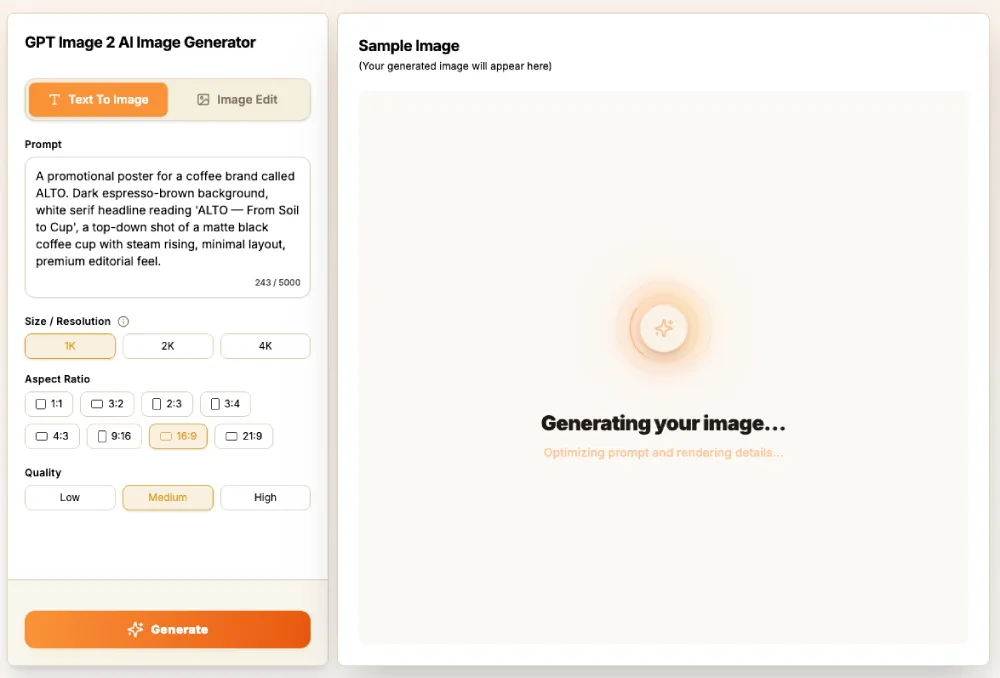
How to Use the GPT Image 2 AI Image Generator

1Step 1 — Enter a Prompt or Upload an Image

If you want to create a new image, enter a clear prompt describing the subject, style, scene, mood, colors, background, and any text you want in the image. If you want to edit an existing image, upload the image and describe the changes you want to make.

The more specific your description, the closer the output will be to your brief. You don't need to learn special syntax — plain language works.

Example prompt:

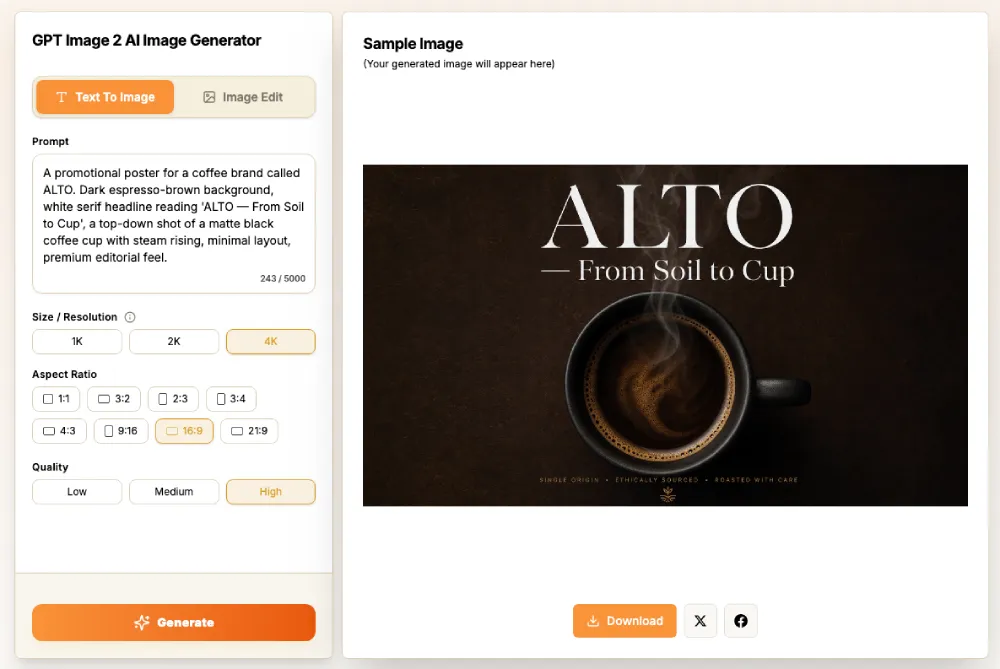
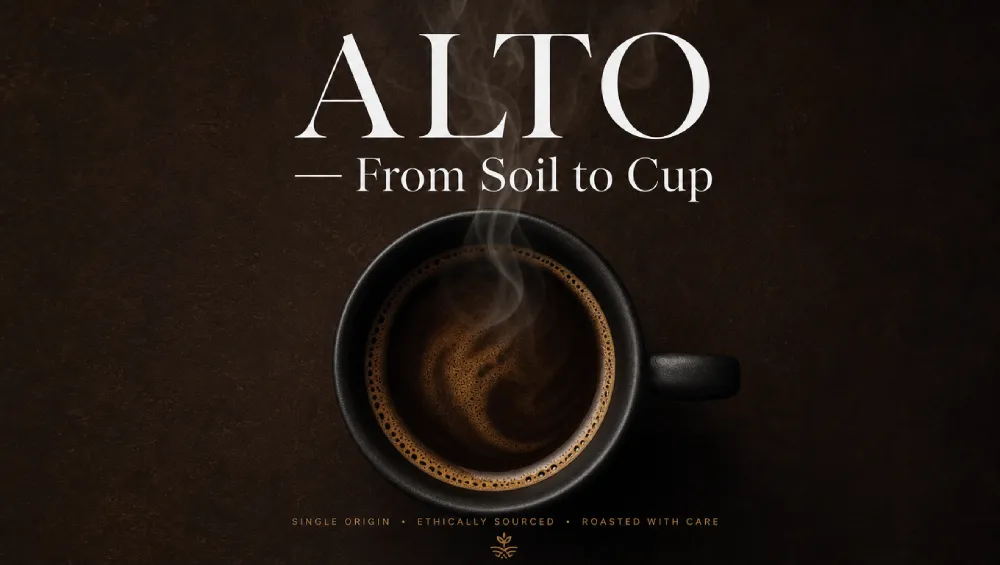
"A promotional poster for a coffee brand called ALTO. Dark espresso-brown background, white serif headline reading 'ALTO — From Soil to Cup', a top-down shot of a matte black coffee cup with steam rising, minimal layout, premium editorial feel."
GPT Image 2 Prompt Input Area

2Step 2 — Choose Size, Ratio, and Resolution

Select the output format that fits your use case. Use square images for social posts, vertical formats for mobile content, wide formats for banners and posters, or Original Ratio when you want to keep the source image proportions.

GPT Image 2 Size and Ratio Selector

3Step 3 — Generate and Download

Click Generate Image to create or edit your image. Review the result, adjust the prompt if needed, and download the final version when it matches your idea.

GPT Image 2 Completed Generation Output

That's the full workflow. From prompt to download in under a minute for most requests.

Output Quality: Real Examples by Category

1. Marketing Posters & Social Graphics

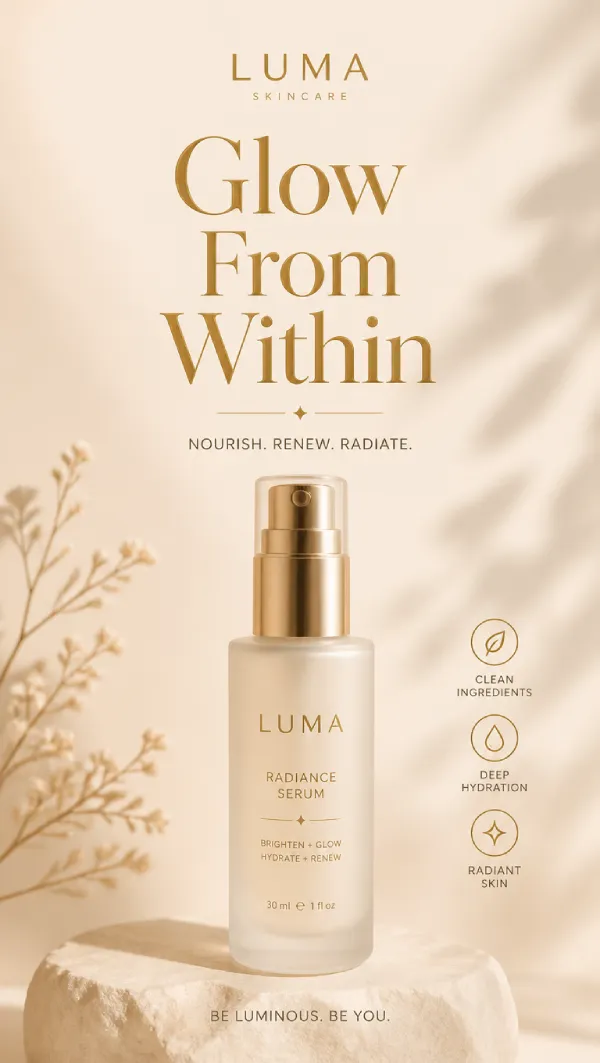
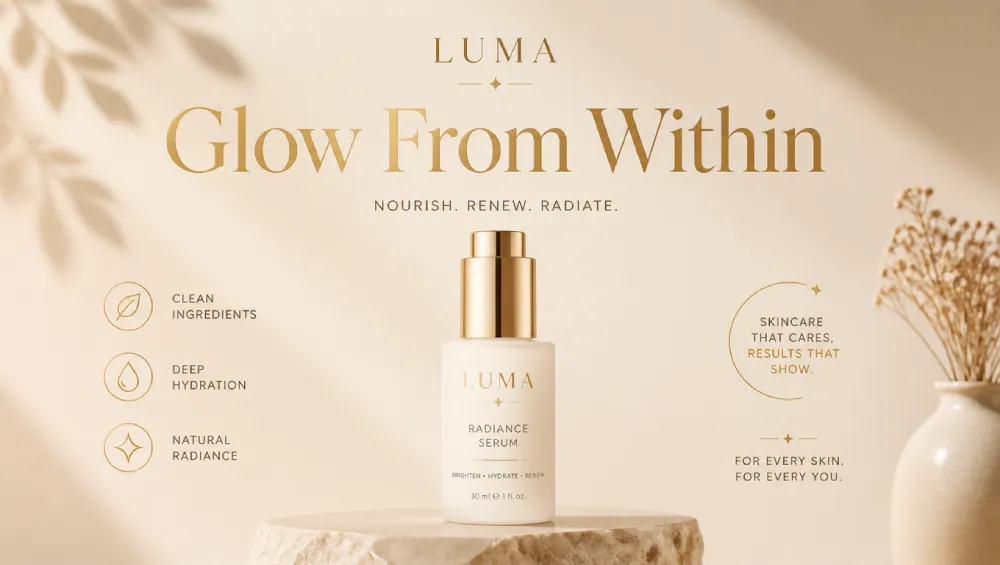
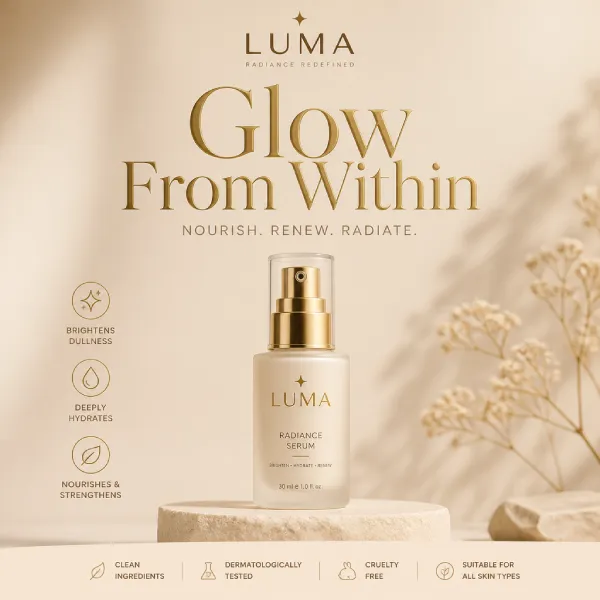
This is where the tool performs most consistently. Headlines, taglines, and embedded copy all render cleanly on the first pass — no post-generation text replacement needed. We generated 1:1, 9:16, and 16:9 variants from the same brief in a single session.

PROMPT USED:

"A social media poster for a skincare brand called LUMA. Soft warm beige background, gold serif headline reading 'Glow From Within', minimalist layout, product bottle centered, clean and premium."

LUMA Skincare Poster Output (9:16)

LUMA Skincare Poster Output (9:16)

LUMA skincare poster output — 9:16 vertical format, gold headline correctly rendered, clean layout matching the brief.

LUMA Skincare Poster Output (16:9)

LUMA Skincare Poster Output (16:9)

LUMA skincare landscape banner output — 16:9 wide aspect ratio, perfect layout with no text overlapping.

LUMA Skincare Poster Output (1:1)

LUMA Skincare Poster Output (1:1)

LUMA skincare square post output — 1:1 aspect ratio, ideal for Instagram and social feed posts.

The headline rendered correctly on every variant. No misspellings, no distorted kerning, no manual cleanup.

2. Image Editing from Upload

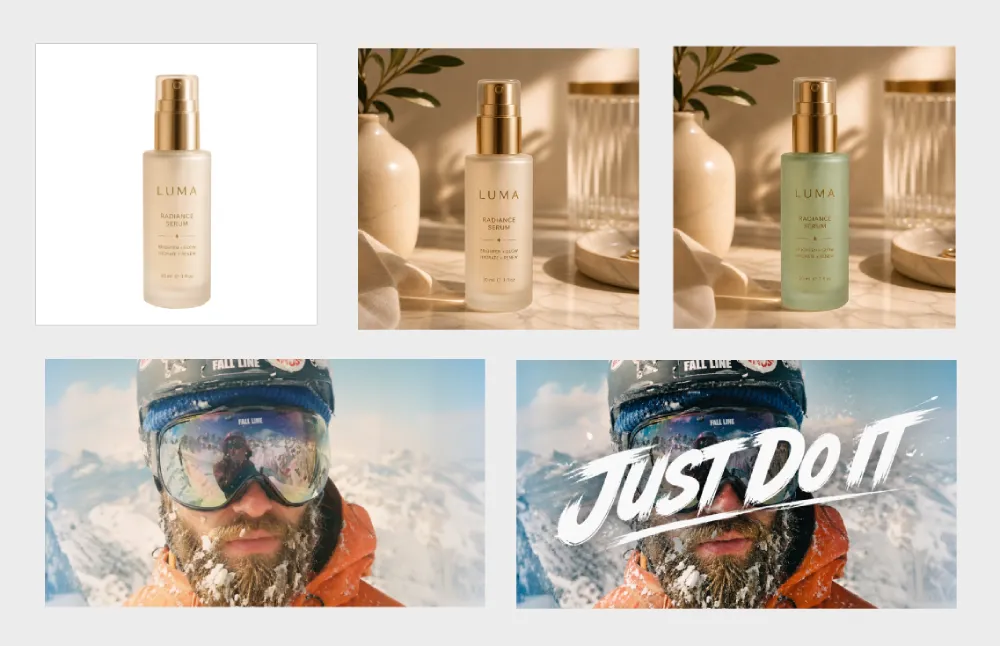
Upload an existing image and describe the change in plain language. The model applies targeted edits without rebuilding the entire composition from scratch.

What we tested:

  • Swapping a product background from white to a lifestyle scene
  • Adding a text overlay to an existing photo
  • Changing a product colorway while keeping the original lighting
Before / After Upload Modification Example

Before / After Upload Modification

Before/after — original uploaded product image (left) and edited version with background replaced and text overlay added (right).

Results on clean product photos were strong. Complex edits involving faces or intricate backgrounds occasionally required a second pass with a more specific instruction.

3. UI Mockups & App Screenshots

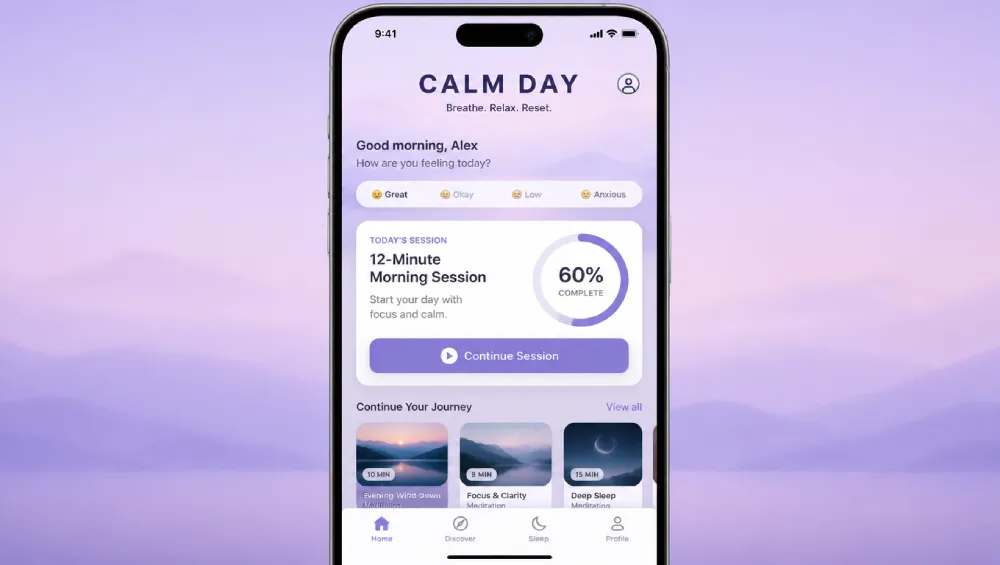
We prompted for an iOS meditation app home screen — soft gradient background, bottom navigation bar, a daily session card with a progress ring, and readable labels throughout.

PROMPT USED:

"An iOS app home screen for a meditation app called CALM DAY. Soft lavender gradient background, bottom tab navigation with 4 icons, a centered session card showing '12-Minute Morning Session' with a circular progress ring at 60%, clean sans-serif labels throughout."

iOS Meditate App Home Interface Example

iOS Meditate App Home Interface

iOS app mockup output — realistic proportions, all UI labels legible, usable as a concept reference.

The component proportions were realistic and all labels rendered legibly. Useful for pitching concepts before a design tool is opened.

4. Multilingual Visuals

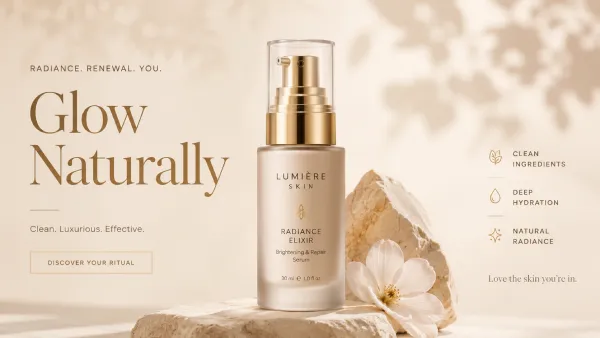
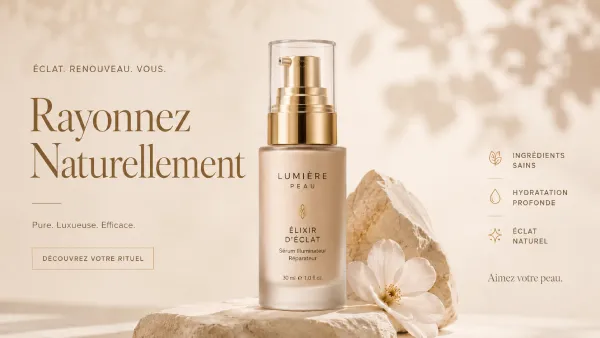
This is one area where GPT Image 2 is especially useful for global creative workflows. We tested the same campaign concept in English and French to compare text readability, spacing, layout balance, and brand-style consistency across languages.

PROMPT USED — ENGLISH:

"A promotional poster for a luxury skincare brand. Soft beige background, elegant product bottle in the center, headline reading 'Glow Naturally', minimal typography, premium beauty campaign style, soft studio lighting."

PROMPT USED — FRENCH:

"A promotional poster for a luxury skincare brand. Soft beige background, elegant product bottle in the center, French headline reading 'Éclat Naturel', minimal typography, premium beauty campaign style, soft studio lighting."

English Beauty Campaign Poster

English Beauty Campaign Poster

English promotional poster with a clean headline, elegant product composition, and a premium skincare campaign look.

French Product Campaign Visual

French Product Campaign Visual

French campaign visual with readable accented text, balanced spacing, and a refined layout suitable for beauty, skincare, or luxury product marketing tests.

English text rendering was strong across most outputs, especially with short headlines and clear placement instructions. French results were also useful for premium campaign concepts, but accented characters, spacing, and longer phrases should still be reviewed before production use.

5. Product Photography

Lifestyle shots, white-background catalog images, and contextual product mockups all generated reliably from a product description.

PROMPT USED:

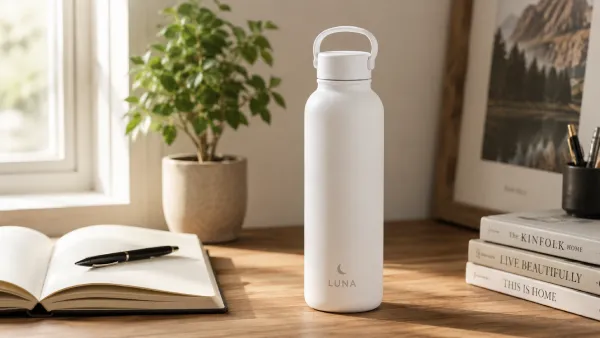
"A lifestyle shot of a matte white ceramic water bottle on a wooden desk next to an open notebook and a small plant. Soft natural light from the left, warm neutral tones, editorial product photography feel."

Matte Ceramic Bottle Lifestyle

Matte Ceramic Bottle Lifestyle

Lifestyle product shot — commercial-quality lighting, realistic surface materials, clean composition.

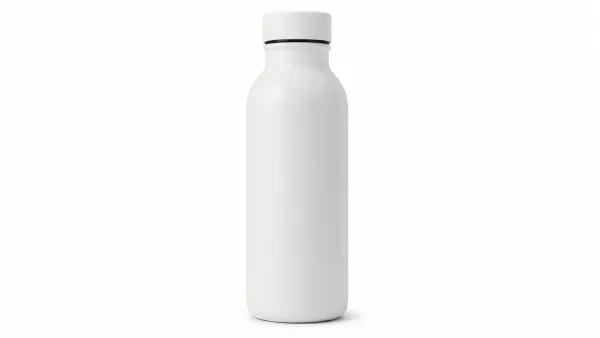
Studio White Background Shot

Studio White Background Shot

White-background catalog image — clean product isolation, e-commerce ready at mockup stage.

Quality is at a level that reduces reliance on stock photography for early-stage ideation and client presentations. Not a replacement for a studio shoot — but a meaningful time-saver before one is scheduled.

6. Infographics & Labeled Diagrams

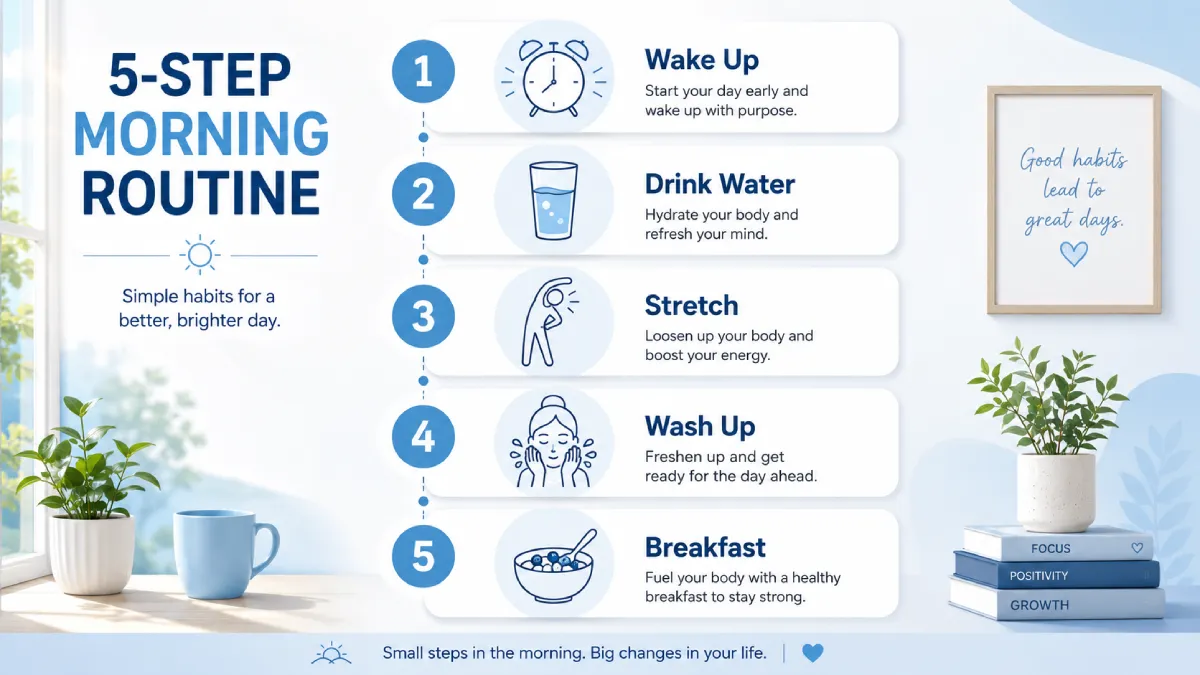
We tested a 5-step process infographic with numbered steps, short callout text, and icon placeholders.

PROMPT USED:

"A clean 5-step vertical infographic showing the steps to start a morning routine. Numbered 1–5, each step has a short label and a simple line-art icon. Soft blue and white color palette, sans-serif typography, minimal and modern."

5-Step Routine Infographic Example

5-Step Routine Infographic

5-step infographic output — every label correctly spelled, step numbers accurate, clean layout.

All labels rendered correctly on the first pass. This is the use case that was most unreliable with previous tools, and it's the most consistently impressive result from this model.

Tips for Getting the Best Results

1. Getting Consistent Characters Across Multiple Images

GPT Image 2 performs best on character batches when you give it precise, repeatable descriptions. Rather than relying on the model to carry character details across generations, include key attributes — hair color, face shape, clothing, and distinctive features — in every prompt. The more specific and consistent your description, the stronger the identity match across frames.

2. Getting Stylized or Artistic Output

GPT Image 2's default output is clean, polished, and editorial — which works in favor of most commercial and marketing use cases. For a more stylized or distinctive aesthetic, the key is being explicit in your prompt about the specific visual language you want: reference a genre, a texture, a lighting style, or a cultural aesthetic rather than a general word like "edgy" or "raw."

The model responds well to specific direction. Prompts that describe the aesthetic in concrete visual terms consistently outperform prompts that use abstract style labels. For more prompt optimization strategies, check out our comprehensive Prompt Engineering Guide.

3. Getting the Fastest Results

Standard mode handles most requests quickly and is the right choice for straightforward image generation. For complex briefs — dense multilingual text, multi-element compositions, or brand-accurate details — the model takes more time to plan and verify before generating. That extra time is worth it: outputs on complex prompts are meaningfully more accurate than a quick standard generation would produce. Build it into your workflow for high-stakes assets, and use Standard mode for rapid iteration.

Pricing & Credits

Credits are purchased once and used as you generate. Each image consumes credits based on resolution and quality — the higher the resolution and quality, the more credits per image. For complete package details and one-time purchase options, visit our dedicated Pricing Page.

1. Credit Package Options

Package NamePrice (One-Time)Total CreditsEst. 1K Low Images
Starter$9.9400 credits~100 images
Standard$29.91,300 credits~325 images
Pro$99.95,000 credits~1,250 images

2. Credits Consumed Per Image by Resolution & Quality

Image ResolutionLow QualityMedium QualityHigh Quality
1K4 credits6 credits22 credits
2K6 credits9 credits33 credits
4K9 credits18 credits66 credits

How to read the table: A $9.9 Starter pack (400 credits) gets you roughly 100 images at 1K Low, 44 images at 1K Medium, or 6 images at 4K High. Credits never expire, so you can mix and match resolutions and quality levels across projects.

Final Verdict

GPT Image 2 sets a new standard for what AI image generation can do in a professional workflow. The text rendering breakthrough alone makes it the right tool for a category of work — marketing assets, infographics, UI mockups, multilingual visuals — that was genuinely impractical with previous models. Add in 2K resolution, flexible aspect ratios, natural language editing, and a three-step workflow that anyone can learn in minutes, and it's the most complete image generation tool available in 2026.

For teams that produce visual content at scale, the credit-based pricing means you only pay for what you generate — no monthly commitment, no unused allocation. And with outputs that regularly come back right on the first pass, you're spending less time iterating and more time shipping.

If images are part of your work, GPT Image 2 belongs in your toolkit.

Experience GPT Image 2 AI Image Generator Online

Start with a simple text instruction, upload an optional image for edits, and download stunning visual drafts in your browser.

Try GPT Image 2 AI Generator →

Frequently Asked Questions

How much does it cost?

Pricing is credit-based — you purchase credits once and use them as you generate. Packages start at $9.9 for 400 credits. Each image costs between 4 credits (1K Low) and 66 credits (4K High) depending on the resolution and quality you choose. Credits don't expire, so you can use them across projects at your own pace.

Do I need to download or install anything?

No. The tool runs entirely in your browser. No plugin, extension, or software installation required.

Can I edit images I already have?

Yes. Upload any image and describe the change you want in plain language — background replacement, text overlay, color changes, object removal. The model applies targeted edits while preserving the rest of the composition. For best results, be specific about what should change and what should stay the same.

How accurate is the text rendering?

English text accuracy is at or above 99% in our testing — clean, correctly spelled, and properly kerned on the first pass. Chinese, Japanese, Korean, and Hindi all render at above 90% character-level accuracy, making multilingual assets genuinely viable without a manual correction step. As with any accuracy-sensitive content, a quick review before finalizing is always good practice.

What resolution do I get?

Up to 2K resolution (2048px per side), with 4K available for high-detail work. Aspect ratios are fully flexible — square, vertical, wide, or original — to match any platform requirement.

What happened to DALL-E 3?

DALL-E 3 and DALL-E 2 were both deprecated on May 12, 2026. GPT Image 2 replaces them with higher resolution, near-perfect text rendering, and significantly improved instruction following.

How is it different from other AI image generators?

GPT Image 2 uses an autoregressive architecture — the same approach language models use to generate text — which gives it a structural advantage in text rendering, instruction following, and layout planning. It can reason before generating, search the web for current reference data, and produce up to 8 coordinated images from a single prompt. The result is output that consistently matches complex briefs on the first pass.